Rotates the whole output of a stitch file request, design and text together, by the given angle in degrees. Send it as a top-level field, for example "Rotation": 45.
- Direction: positive angles rotate clockwise. With 90, a horizontal text reads from top to bottom.
- Values: whole numbers from 1 to 359; 0 means no rotation. Negative values and values of 360 or more are ignored without an error, and the output stays unrotated. For a counter-clockwise rotation use 360 minus the angle, for example 315 for 45° counter-clockwise.
- Whole numbers only: a fractional value such as 45.5 makes the whole request fail with HTTP 400.
- Requests: applied by CreateTC, CreateTBF, CreateDST and CreateDSZ. CreatePNG ignores it and always shows the unrotated layout. To preview a rotated result, create a TC file with Rotation and send it to CreatePNG as the design (
"EmbroideryType": "TC"). - Exception: CreateDST with a DSZ design and no text ignores Rotation. The request succeeds, but the DST is not rotated. To get a rotated DST from a DSZ design, first create a TC file from it with Rotation (CreateTC), then send that TC file to CreateDST (
"EmbroideryType": "TC","Rotation": 0). With text, the rotation is applied as usual.
Example
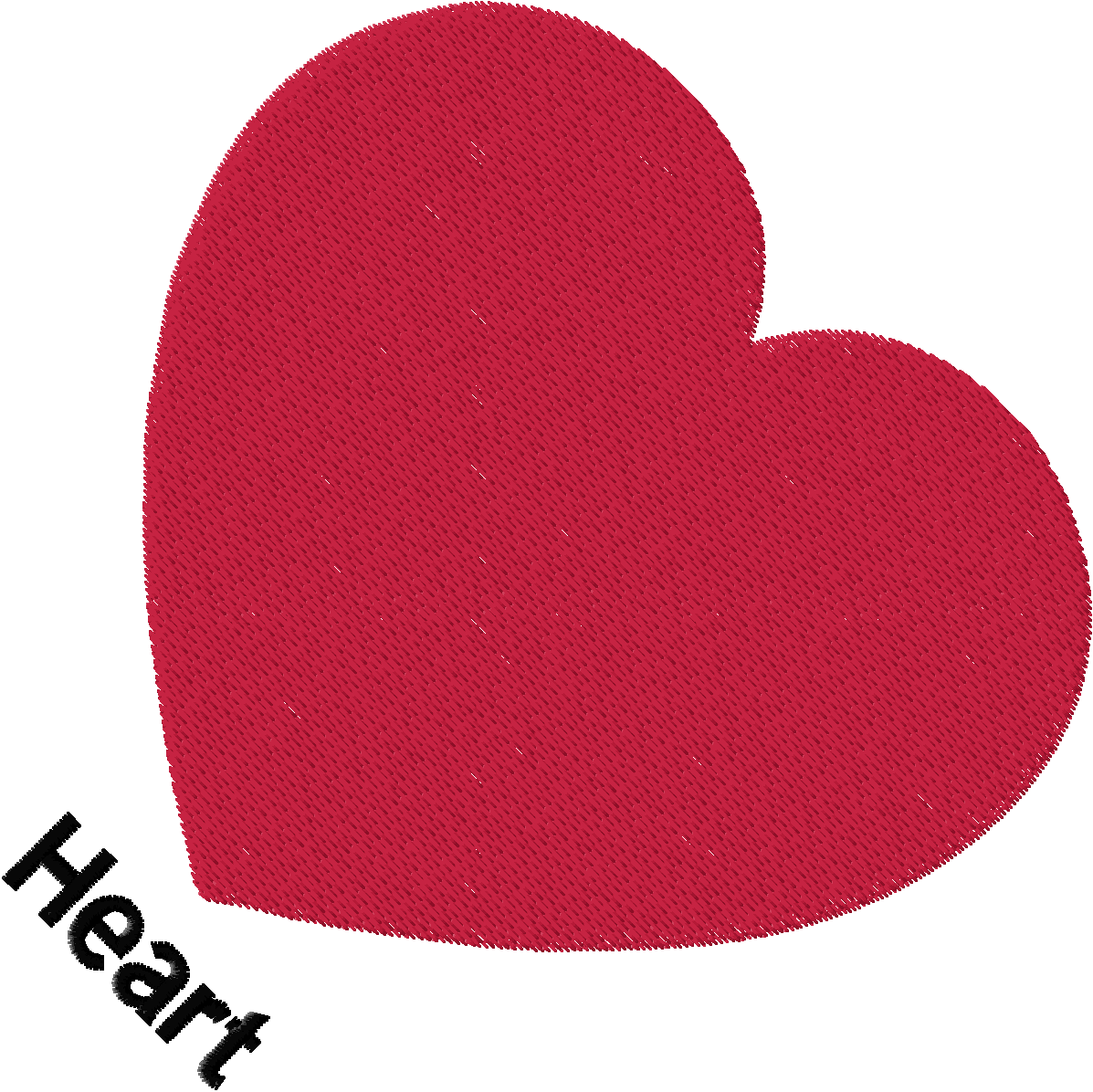
The CreateTC example (heart design with the text "Heart" below it) created with "Rotation": 45, shown as a CreatePNG preview of the resulting Z00 file: