CreatePNG creates a TrueView PNG preview of text, of an existing design, or of both. Send it as an HTTP POST with a JSON body to StitchJob (see Overview) with "RequestType": "CreatePNG", "ServerVersion": 3 and a valid WebApiLicense (see ZSK Web API License). Key names are case-sensitive, and integer fields need JSON integers ("DistanceMM": 2, not 2.5).
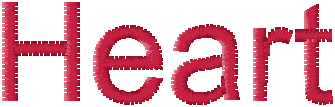
Input
- Text only: send
MonogramsandNeedle, omitEmbroideryBase64. - Existing design only: send
EmbroideryTypeandEmbroideryBase64, omitMonograms(or send an empty list). NoNeedlelist is needed. - Design + text: send
EmbroideryType,EmbroideryBase64,MonogramsandNeedle(with a TC or TBF design,"UseEmbroideryColors": 1can replaceNeedle, see Colors).TextAlignmentwith aModeplaces the text relative to the design (see TextAlignment to Design).
Text rules: without a design, every monogram needs a non-blank text; up to 9 monograms, one line each, 200 characters in total; FontSizeMM 5 to 50; FontFamily as listed by GetFontList (case-sensitive); UsedNeedle starts at 1. See Monograms.
EmbroideryType is required with every design and must be one of these values (case-sensitive):
| EmbroideryType | File | Processing |
|---|---|---|
TC | .z00 | Used directly. |
TBF | .tbf | Used directly. |
DST | .dst | Converted to TC with the needle assignment in SeqAssignmentJson (required). |
DSZ | .dsz | Converted to DST, then handled like DST input; the sequence indexes in SeqAssignmentJson refer to the converted DST. |
For DST and DSZ input, SeqAssignmentJson is a JSON string holding NeedleAssignment (key k: 0-based index into UsedConeDefs, becomes needle k + 1; value: the 0-based DST color sequences in that color) and UsedConeDefs (ColorNumber as integer). See NeedleAssignment.
"EmbroideryType": "DST",
"EmbroideryBase64": "base64 encoded embroidery data",
"SeqAssignmentJson": "{\"NeedleAssignment\":{\"0\":[0,2],\"1\":[1]},\"UsedConeDefs\":[{\"R\":196,\"G\":30,\"B\":58,\"ColorNumber\":5566,\"ColorName\":\"radiant red\"},{\"R\":0,\"G\":0,\"B\":0,\"ColorNumber\":20,\"ColorName\":\"Black\"}]}"
The preview is built from the same input as CreateTC, but without pull compensation (PullRel, PullAbs), so stitch details can differ slightly from a stitch file created from the same request. Rotation is never applied: the PNG always shows the unrotated layout.
Colors
Needlesets the colors by position (first entry = needle 1); each monogram uses the entry in itsUsedNeedle, so with textNeedleneeds at least that many entries.Red,Green,Blue: integers 0 to 255; other fields: strings.- Entry n also recolors needle n of the design: with a design, send one entry per design needle and set
UsedNeedleto the entry with the text color. WithoutNeedle, a design keeps its colors (DST and DSZ input: theUsedConeDefscolors). - Only
Red,Green,BlueandColorNameaffect the preview; the other fields have no effect on the PNG. - With a TC or TBF design,
"UseEmbroideryColors": 1buildsNeedlefrom the design, replacing a sent list;UsedNeedlethen selects an entry by position. See UseEmbroideryColors.
Preview settings
TrueViewsets how the threads are drawn:LineThickness,Brightness,LightingOn,LightingAngle,HideStitches,HideStitchesFrom. All values are strings holding integers; omitted keys keep their defaults. German keys are still accepted. See TrueView Parameter.PngResolution: resolution in dpi (integer), default 254 (10 pixels per mm); values below 72 use 254. See Preview resolution.
Response
On success: HTTP 200 with a JobResponseType with Success true and:
RequestData: the PNG of the stitched area of design and text (RGBA with a transparent background, resolution stored in the file), Base64-encoded; it can be shown directly asdata:image/png;base64,followed byRequestData.Info:widthMmandheightMm(size of design and text in mm, not the image size; text only:widthMmis the width of the text block),numberOfStitchesandnumberOfCuts(thread cuts). The other fields are 0 ornull.NeedleColor: with a design, one entry per needle color of the preview (design and text) withNeedleNumber,Red,Green,BlueandColorName; the other strings are empty. Text only: one entry per monogram (itsUsedNeedleand thatNeedleentry).NeedleSequence: with a design, the needle of each sequence of design and text in stitch order. Text only: theUsedNeedleof each monogram.Time: processing times.PreviewDatastays empty, also withWithPreview; the PNG is inRequestData.
Info, NeedleColor, NeedleSequence and Time are JSON strings: parse each non-empty string a second time. Example for text only (formatted and shortened):
{
	"Info": "{ \"widthMm\": ..., \"heightMm\": ..., ..., \"numberOfStitches\": ..., \"numberOfCuts\": ..., ... }",
	"NeedleColor": "[ { \"NeedleNumber\": 1, \"Red\": 196, \"Green\": 30, \"Blue\": 58, \"ColorName\": \"radiant red\", ... } ]",
	"NeedleSequence": "[ 1 ]",
	"PreviewData": "",
	"RequestData": "base64 encoded PNG data",
	"Success": true,
	"Time": "{ ... }"
}
On error, Success is false and RequestData holds the error message.
Errors
| HTTP | RequestData | Cause |
|---|---|---|
| 200 | Error: unknown command! | RequestType is not exactly CreatePNG. |
| 400 | No licence token found. / Invalid licence token. | WebApiLicense is missing, empty or rejected. |
| 400 | Only one line of text per monogram ... / A maximum of 9 lines ... / The text length is longer ... | More than one Text entry, more than 9 monograms, or more than 200 characters. |
| 400 | Invalid needle color list | Text without a Needle list, or too few Needle entries for the highest UsedNeedle. |
| 400 | Invalid monogram text. Found empty text | No design, and Monograms is missing or empty or a monogram text is blank. |
| 400 | Invalid font size. ... / Invalid font name(s). ... / The text contains not supported character(s): ... | FontSizeMM outside 5 to 50, FontFamily not listed by GetFontList, or characters the font does not support. |
| 400 | embroideryData.Length == 0 | DST or DSZ input without a valid SeqAssignmentJson. |
| 500 | Error message | Unexpected error, for example invalid Base64 in EmbroideryBase64. |
| 503 | Error message | The preview could not be created; retry later. |